How It Works
See what a clearer squat practice loop looks like.
VexaFit gives beginners a simple way to practice squats, notice live form cues, and come back to the next session with a clearer focus.
- 01
- Set your position
- 02
- Practice with cues
- 03
- Review the pattern
-
01
Set up your session
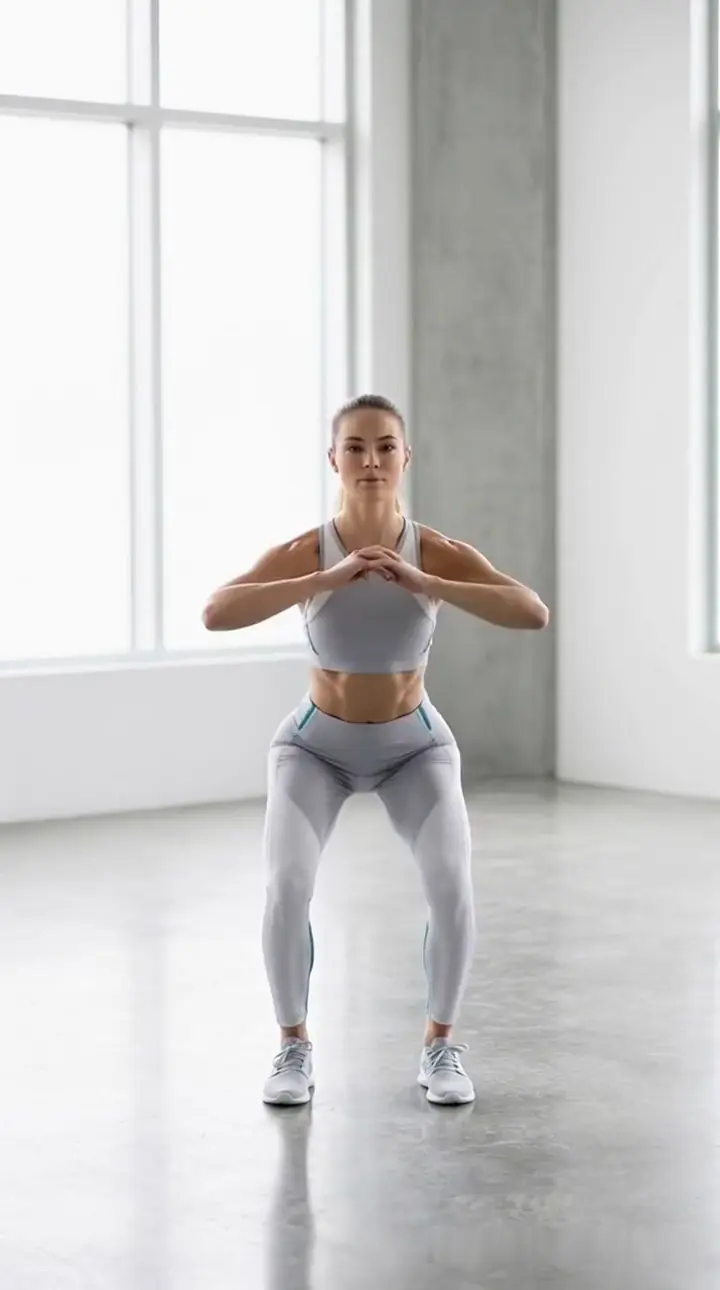
Open a squat session, position your Android phone so you are visible, and take a moment to get comfortable before you start moving.
- Face the camera straight on.
- Move slowly on your first rep.
- Place your phone vertically on a stand or stable wall mount around hip height.
- Tap Start Training to open the front-camera preview.
- Step back until your full body fits inside the preview frame.
- Wait for the position cue before you begin moving.
- Start squatting after the cue. Rep counting begins automatically.
Technique guide / set your position before you begin
-
02
Get live cues
As you practice, VexaFit can help you notice form patterns with straightforward live cues. The goal is not to chase perfection in one rep, but to make the next rep easier to understand.
 SET 2 3/15STATUS Training
 -
03
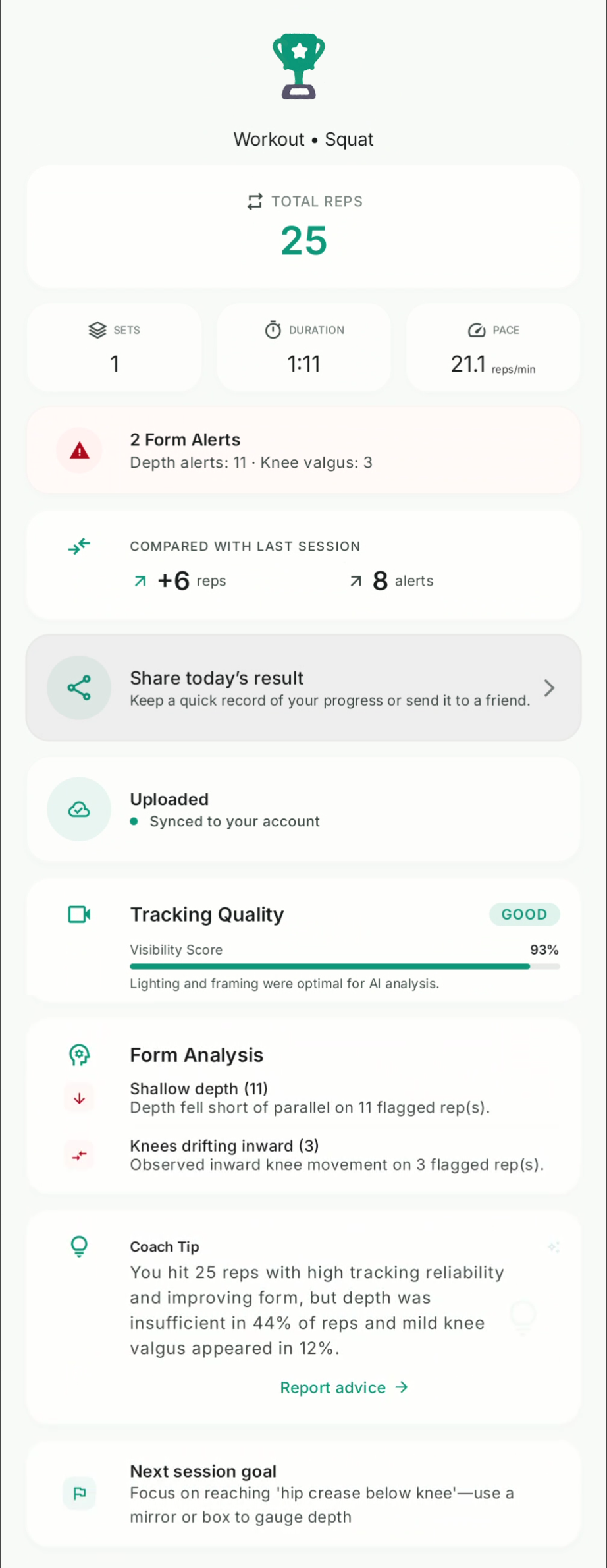
Review your summary
After your session, review the feedback summary to see the patterns that deserve your attention next time.
-
04
Return with a clearer focus
Bring one simple focus into your next session. Consistent, controlled practice is more useful than trying to change everything at once.
Focused on one movement, for now
VexaFit is focused on squat practice today. More movements are planned carefully.
What Comes Next
Squats are the start. What should VexaFit explore next?
We are building beyond squat feedback. Tell us which movement would make practice more useful for you.
Start Practicing